Tired of Forgetting What to Buy? How Cloud Storage Keeps Your Shopping List Always in Sync
We’ve all been there—standing in the grocery aisle, staring at our phones, wondering if we missed something on the list. Or worse, getting home only to realize the one thing you needed most was left behind. It’s frustrating, avoidable, and honestly, a little embarrassing. But what if your shopping list could follow you everywhere, update instantly, and even let your partner add items from across town? That’s not magic—it’s smart use of tech you already have. And the best part? You don’t need to be a tech expert to make it work. This is about using something simple to bring a little more calm, clarity, and connection into your daily life.
The Everyday Chaos of Forgotten Errands
Picture this: it’s 6:45 PM, the kids are hungry, dinner isn’t started, and you just remembered you’re out of chicken. You grab your coat, tell your spouse you’re heading to the store, and promise to pick up dish soap while you’re out. You drive through rush hour traffic, park, rush in, grab what you can remember, and get home—only to hear, “Wait, did you get the dish soap?” Your heart sinks. “I thought you were going to add it to the list!” they say. And just like that, another trip is needed.
This isn’t just about soap or chicken. It’s about how small oversights pile up and chip away at your peace of mind. When you’re juggling work, family, meals, and everything in between, your brain is already working overtime. You’re not forgetting because you’re careless—you’re forgetting because you’re carrying too much. Our minds weren’t built to hold endless to-dos, especially when life changes by the minute. A child needs new socks tomorrow. A recipe calls for an ingredient you don’t have. The dog’s food is running low. These things pop up all day, and if there’s no easy way to capture them, they either get forgotten or weigh on you like mental clutter.
And let’s be honest—this isn’t just inconvenient. It can cause tension at home. How many little arguments have started over something as small as a forgotten gallon of milk? It’s not really about the milk. It’s about feeling heard, supported, and in sync with the people you share life with. When one person feels like they’re always the one remembering, it builds resentment. When both feel out of step, it creates frustration. But what if there was a way to stay on the same page—literally—without having to repeat yourself or rely on sticky notes that fall off the fridge?
Meet the Invisible Helper: What Cloud Storage Really Is (in Plain Terms)
Let’s talk about something that sounds fancy but isn’t: cloud storage. You’ve probably heard the term, maybe when someone said, “I saved it to the cloud,” and you nodded politely while secretly wondering what that actually means. Here’s the truth: it’s not complicated, and you’ve likely already used it without realizing it.
Think of cloud storage like a digital backpack. You put something in it—say, a photo, a note, or a shopping list—and it stays there. But unlike a real backpack, this one isn’t sitting on your kitchen table. It lives online, in a safe digital space. And because it’s online, you can reach into it from any device—your phone, your tablet, your partner’s phone, even your computer at work. That’s the magic. It’s not tied to one machine. It goes wherever you go.
Compare that to the old way: scribbling a list on paper. That list stays on the fridge unless someone remembers to grab it. If you’re at the store and your partner thinks of something else, they can’t add it. If you lose the paper, the list is gone. But a cloud-based list? It’s always there. If your partner thinks of almond milk while driving to work, they can add it in two seconds. When you open your phone at the store, it’s already updated. No calls, no texts, no confusion.
And don’t worry—your data isn’t floating around for anyone to see. Reputable cloud services use strong security to keep your information private. It’s like having a locked drawer in a secure building. Only people you invite can see what’s inside. Most of us already trust the cloud with photos of our kids, work documents, and personal notes. A shopping list? That’s one of the easiest, safest things you can keep there.
From Notes to Smart Lists: How Cloud Tools Transform Shopping
Now, let’s bring this to life. Imagine you’re sitting at your kitchen table with your phone. You open an app—maybe one you already have, like Google Keep, Apple Notes, or Microsoft OneNote—and create a new list called “Grocery List.” You add a few things: eggs, bread, spinach. Then you tap a button and invite your partner to view and edit it. That’s it. From now on, that list isn’t just yours. It’s yours together.
Later that afternoon, your partner is at their office and remembers you’re out of coffee. They open their phone, find the shared list, and type in “coffee beans.” Instantly, that item appears on your phone too. No text needed. No “Hey, don’t forget coffee!” call. The list just knows. When you get to the store, you pull out your phone, and there it is—everything in one place, updated in real time.
But it gets even better. Many of these apps let you check off items as you go. You grab the eggs, tap the box next to “eggs,” and it fades a little or gets a line through it. Now you can see at a glance what’s left. No more guessing. No more “Wait, did we get the cheese?” And if someone at home checks the list while you’re shopping, they can see what’s already been picked up. If the kids suddenly decide they want pancakes, someone at home can add “pancake mix” and “syrup,” and you’ll see it the moment you look at your phone.
This isn’t about flashy tech. It’s about removing friction. It’s about turning a chore that feels scattered and stressful into something smooth and shared. And the more you use it, the more natural it feels. You start noticing things—like how much faster shopping is when you’re not constantly double-checking your memory. Or how nice it feels when your partner adds something without being asked. It becomes a quiet way of saying, “I’m thinking of us.”
Setting Up Your First Smart Shopping List (No Tech Skills Needed)
If this sounds good but a little intimidating, take a deep breath. Setting up a shared shopping list is easier than ordering takeout online. And you don’t need to download anything new unless you want to. Most smartphones come with a notes app that already has cloud sync built in. Let’s walk through it step by step, just like we’re sitting at your kitchen table together.
First, open the Notes app on your iPhone or Google Keep on your Android. If you’re not sure which one you have, just look for an app that lets you write down thoughts or lists. Tap the “+” to create a new note. Title it “Shopping List” or “Groceries” or whatever makes sense to you. Start typing what you need. Don’t worry about making it perfect. Just add what comes to mind.
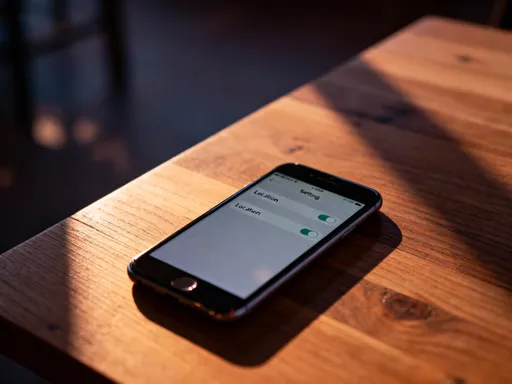
Now, here’s the key step: you need to make sure it’s saved to the cloud. On iPhone, check that your Notes are syncing with iCloud. You can do this by going to Settings > [your name] > iCloud > Notes. Make sure the toggle is on. On Android, Google Keep automatically saves to your Google account, so as long as you’re signed in, you’re good.
Next, make it shared. In Apple Notes, open your list, tap the little circle with the dots in it (it’s called the “share” button), then tap “Add People.” Type in your partner’s email or phone number and choose “Can Make Changes.” That means they can add and remove items, not just read it. In Google Keep, open the note, tap the three dots, then “Collaborate,” and type in their email. They’ll get a notification and can start using it right away.
Now, test it. Ask your partner to add something—anything—while you watch your phone. You should see it appear within seconds. If it does, you’ve done it. You’ve built a live, shared, always-updated shopping list. Celebrate with a cup of tea. You’ve earned it.
And don’t worry about common fears. Will it drain your battery? No—these apps use very little power. Is it safe? Yes, especially if you’re using built-in apps from Apple or Google. Could someone else see it? Only if you share it with them. And if your phone dies at the store? Most of these apps also work on tablets or computers, so you can check the list from another device. The point isn’t perfection—it’s progress. Even if you only use it half the time, you’ll still forget fewer things.
Beyond Groceries: How This Small Change Improves Daily Life
Here’s the beautiful part: once you get used to this system, you’ll start using it for everything. It’s not just about groceries. It becomes a tool for shared memory, a way to lighten the mental load that so many of us carry every day.
Think about gift ideas. Instead of trying to remember what your sister mentioned she wanted, or scrambling every year to figure out what to get your dad, you can keep a “Gift Ideas” list. When someone says, “I love that lavender soap,” you add it right then. When your nephew mentions a new video game, you jot it down. By the time the holiday comes, you’re not starting from scratch. You’ve been collecting ideas all year, quietly and effortlessly.
Or what about packing lists? Planning a family trip? Create a shared “Beach Trip Packing List.” One person adds “swimsuits,” another adds “sunscreen,” and you add “books.” As you pack, you check things off. No more last-minute panic about whether someone remembered their toothbrush. And when the trip is over, you can save the list and reuse it next year—just update what’s different.
Home maintenance? Make a list called “Things to Fix.” When you notice the bathroom faucet is dripping, add it. When the garage door makes a weird noise, add it. That way, when your partner has a free Saturday, they can check the list and tackle a few items. No more “I told you about that three weeks ago!” conversations.
The emotional benefit is real. When you stop having to remember everything, your mind feels clearer. You’re less stressed. You’re more present with your family because you’re not mentally scrolling through a never-ending to-do list. And when you and your partner are both contributing to the same system, it builds trust. You feel like a team. You feel supported. And honestly, that’s worth more than any app.
Real Talk: What Could Go Wrong and How to Fix It
Let’s keep it real—this system isn’t perfect. Sometimes, things go a little sideways. Maybe your partner marks “milk” as done, but they meant the almond milk, not the whole milk—and now you’re both out. Or maybe your phone has no signal in the store, so the list doesn’t update right away. Or someone adds “snacks” without specifying what kind, and you come home with three bags of chips when they wanted granola bars.
These hiccups happen. But here’s the good news: they’re easy to fix, and they don’t ruin the whole thing. In fact, talking about them can make your system even better. For example, if mix-ups happen with similar items, agree on clearer names. Instead of “milk,” write “whole milk” and “almond milk” as separate items. If “snacks” is too vague, try “kids’ school snacks” or “movie night treats.” A little clarity goes a long way.
If the list doesn’t update in the store, it’s usually a connection issue. Most apps will sync as soon as you get signal again. But if it’s a problem, you can agree to send a quick text for urgent additions. Or, if you’re really worried, check the list right before you leave the house to make sure it’s current.
And if someone forgets to check the list altogether? That’s okay. Start small. Maybe just use it for one trip a week at first. The goal isn’t to be perfect. It’s to be better than before. Even if you only avoid one forgotten item a week, that’s one less trip, one less argument, one more moment of peace.
The key is to keep it simple and forgiving. Technology should serve you, not stress you out. If something isn’t working, change it. Try a different app. Adjust the way you name items. Make it fit your life, not the other way around.
Making It Stick: Turning a Tool into a Habit
We’ve all downloaded an app with good intentions, used it for three days, and then forgotten about it. So how do you make this one last?
The secret is to connect it to something you already do every day. For example, make it part of your evening routine. After dinner, while you’re cleaning up, take two minutes to review the shopping list. Ask, “What are we running low on?” or “What do we need for meals this week?” Add a few things. It becomes as natural as loading the dishwasher.
You can also use reminders. Set a weekly alert on your phone that says, “Check the shopping list.” Or leave a sticky note on the fridge that says, “Think of it? Add it!” until the habit kicks in.
And celebrate the wins. When you get home and everything you needed is in the bag, take a second to notice. Say to yourself, “That went smoothly.” Or tell your partner, “I love that we both added things today.” Positive reinforcement helps your brain link the habit with a good feeling.
Most importantly, be patient. Habits take time. You don’t have to use the list perfectly every time. Just keep coming back to it. The more you use it, the more it becomes a natural part of your rhythm. And soon, you won’t remember how you ever managed without it.
Small Tech, Big Peace of Mind
At the end of the day, this isn’t really about technology. It’s about care. It’s about making life a little easier for the people you love—and for yourself. A shared shopping list might seem small, even silly, but it’s a tiny act of thoughtfulness. It says, “I’ve got your back.” “We’re in this together.” “You don’t have to carry it all alone.”
And in a world that often feels too fast, too loud, too much, those small moments of connection matter. They add up. They create a home that feels calmer, more organized, more loving. You’re not just buying groceries—you’re building a system that helps you show up better, every day.
So go ahead. Open that notes app. Create the list. Invite your partner. Add one thing. Then another. Let the cloud do the remembering, so you can do the living. Because sometimes, the most powerful tech isn’t the newest gadget—it’s the one that helps you breathe a little easier, love a little deeper, and feel just a little more at peace.